To make the comparison useful, we checked six real products sold for the US heavy duty market: Noregon JPRO Essential Diagnostic Toolbox, Cummins INSITE with INLINE 7, Autel MaxiSYS MS909CV, Proformance Link, OTR Diagnostics, and Diesel Decoder . They range from a $300 plus phone adapter to a $6,000 plus laptop kit. The important point is that a laptop is not automatically more capable, and a phone based scanner is not automatically basic. The real capability comes from five things: vehicle…
Diesel Diagnostic Laptop vs. Mobile Truck Scanner: Which Is Better?
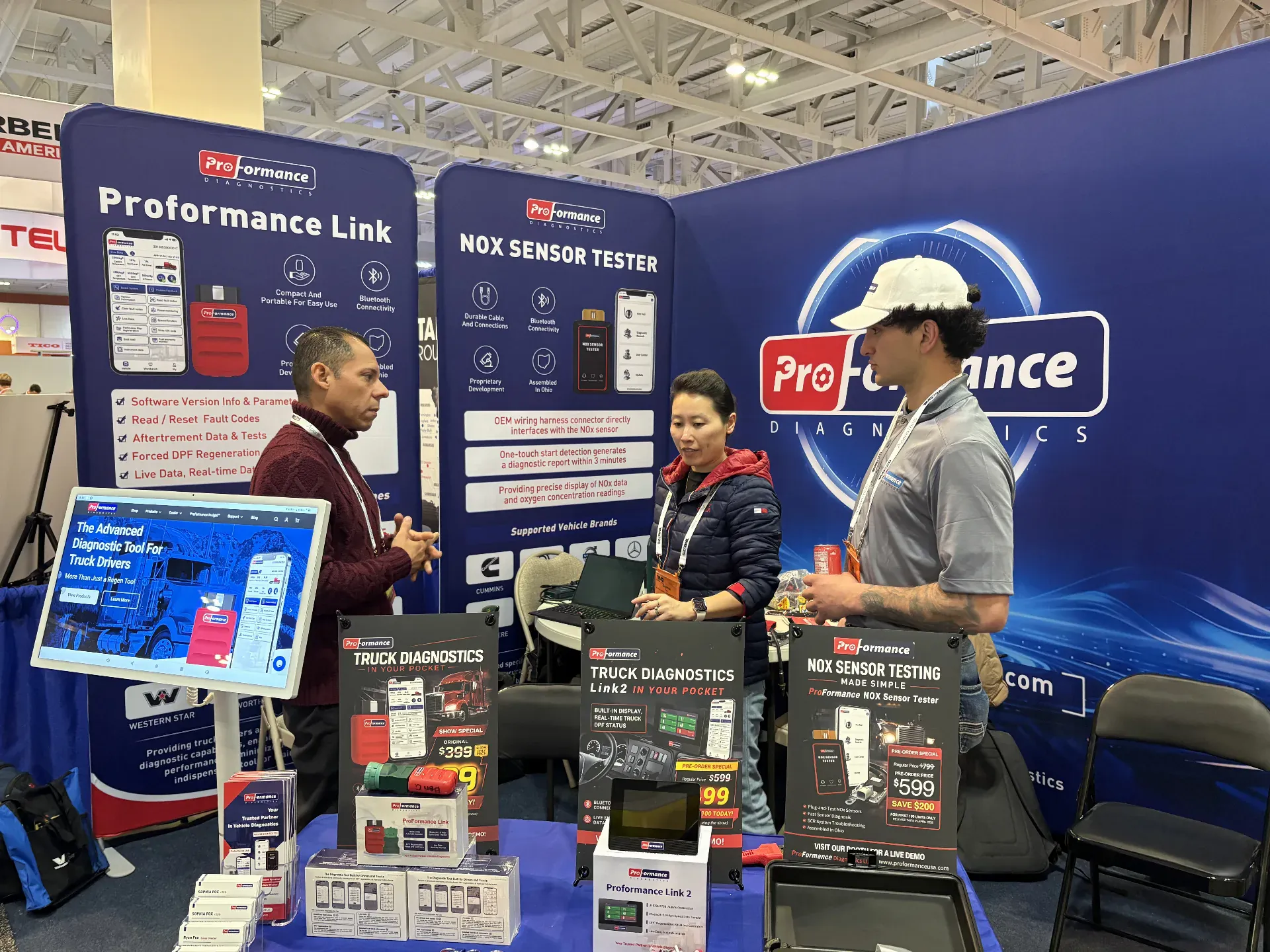
To make the comparison useful, we checked six real products sold for the US heavy-duty market: Noregon JPRO Essential Diagnostic Toolbox, Cummins INSITE with INLINE 7, Autel MaxiSYS MS909CV, Proformance Link, OTR Diagnostics, and Diesel Decoder. They range from a $300-plus phone adapter to a $6,000-plus laptop kit.
The important point is that a laptop is not automatically more capable, and a phone-based scanner is not automatically basic. The real capability comes from five things: vehicle coverage, diagnostic software, the vehicle interface, the active license, and the commands supported for the exact engine and ECM.
Diesel Diagnostic Laptop vs. Mobile Scanner: Quick Comparison
Buying factor | Diesel diagnostic laptop | Mobile truck scanner |
|---|---|---|
Best for | Full-service shops, advanced technicians, OEM-specific work | Owner-operators, mobile mechanics, small fleets, fast roadside diagnosis |
Typical setup | Windows laptop + VCI + cables + diagnostic software/licenses | Compact adapter + phone/tablet app |
Portability | More equipment to carry, power, update, and protect | Fits in a truck or service bag; uses an existing phone/tablet |
Startup speed | More setup; may require drivers, cables, and software selection | Usually plug in, connect, identify the vehicle, and scan |
Multi-window workflow | Strong for graphs, service information, reports, and multiple apps | Optimized for focused checks and guided commands |
OEM software | Can run supported Windows OEM applications | Usually uses the vendor's mobile app, not desktop OEM software |
ECM programming | Possible with the correct OEM software, license, interface, and authorization | Usually not the intended use; verify any claimed programming function carefully |
Fault codes and live data | Depends on installed software and coverage | Depends on app and vehicle coverage |
DPF regen and resets | Available when the software supports the engine/controller | Available on supported vehicles when the app includes the command |
Updates and ownership cost | Laptop, VCI, cables, software licenses, updates, and support | Hardware plus app membership/subscription, depending on the vendor |
Offline use | Some applications work offline; licensing and updates may still require internet | Varies by app; cloud features and account validation may require a connection |
There is no universal winner. Choose the workflow that covers your vehicles and most frequent jobs with the least friction.
Six Real Heavy-Duty Diagnostic Tools Compared
The prices below were displayed on official US product pages when checked on October 15, 2026. Promotional pricing, renewals, taxes, cables, and software licenses can change, so treat these figures as a comparison snapshot rather than a permanent quote.
Product | Format | Price shown at review | Coverage approach | Supported service functions | ECM programming/coding | Best fit |
|---|---|---|---|---|---|---|
Noregon JPRO Essential Diagnostic Toolbox | Panasonic Toughbook + DLA+ 3.0 adapter + cables + JPRO | $6,850 | All-makes commercial vehicle diagnostics | Broad diagnostics and bidirectional/service functions; exact coverage varies | JPRO is not a universal OEM flashing replacement; separate OEM software may be required | Full-service repair shop or mixed fleet |
Cummins INSITE + INLINE 7 | Windows PC + Cummins adapter + licensed OEM software | Varies by distributor and license | Cummins electronic engines | Cummins diagnostics, tests, parameter and calibration workflows according to license/engine | Cummins-focused calibration/programming workflows with the correct authorization and files | Shop or fleet heavily concentrated on Cummins |
Autel MaxiSYS MS909CV | Dedicated Android commercial-vehicle tablet + VCI/J2534 device | $5,450 sale price | Multi-brand light-, medium-, and heavy-duty commercial vehicles | Full-system diagnostics, active tests and service functions on supported vehicles | ECU coding/programming functions are advertised for supported applications | Technician wanting a portable professional tablet |
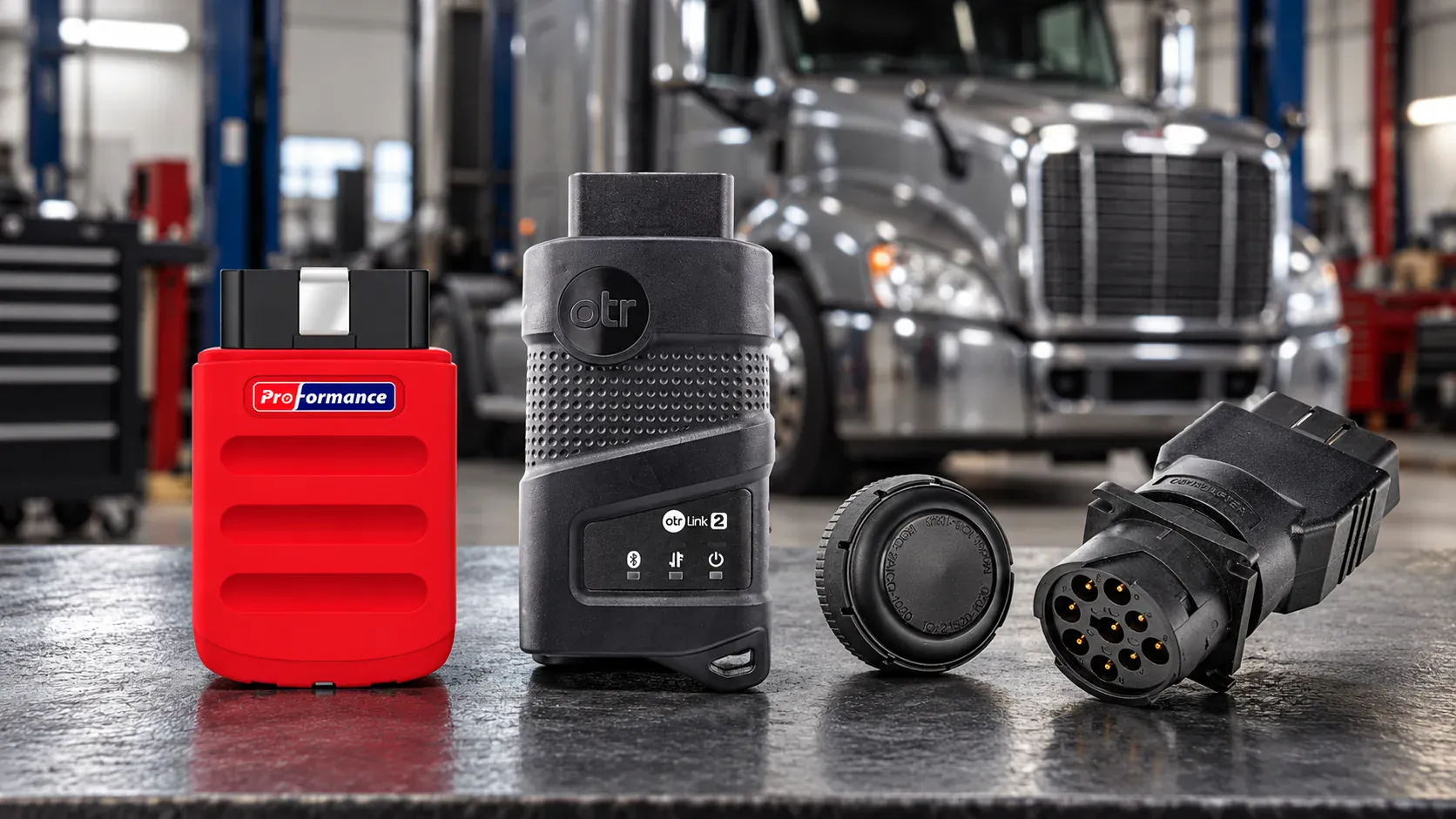
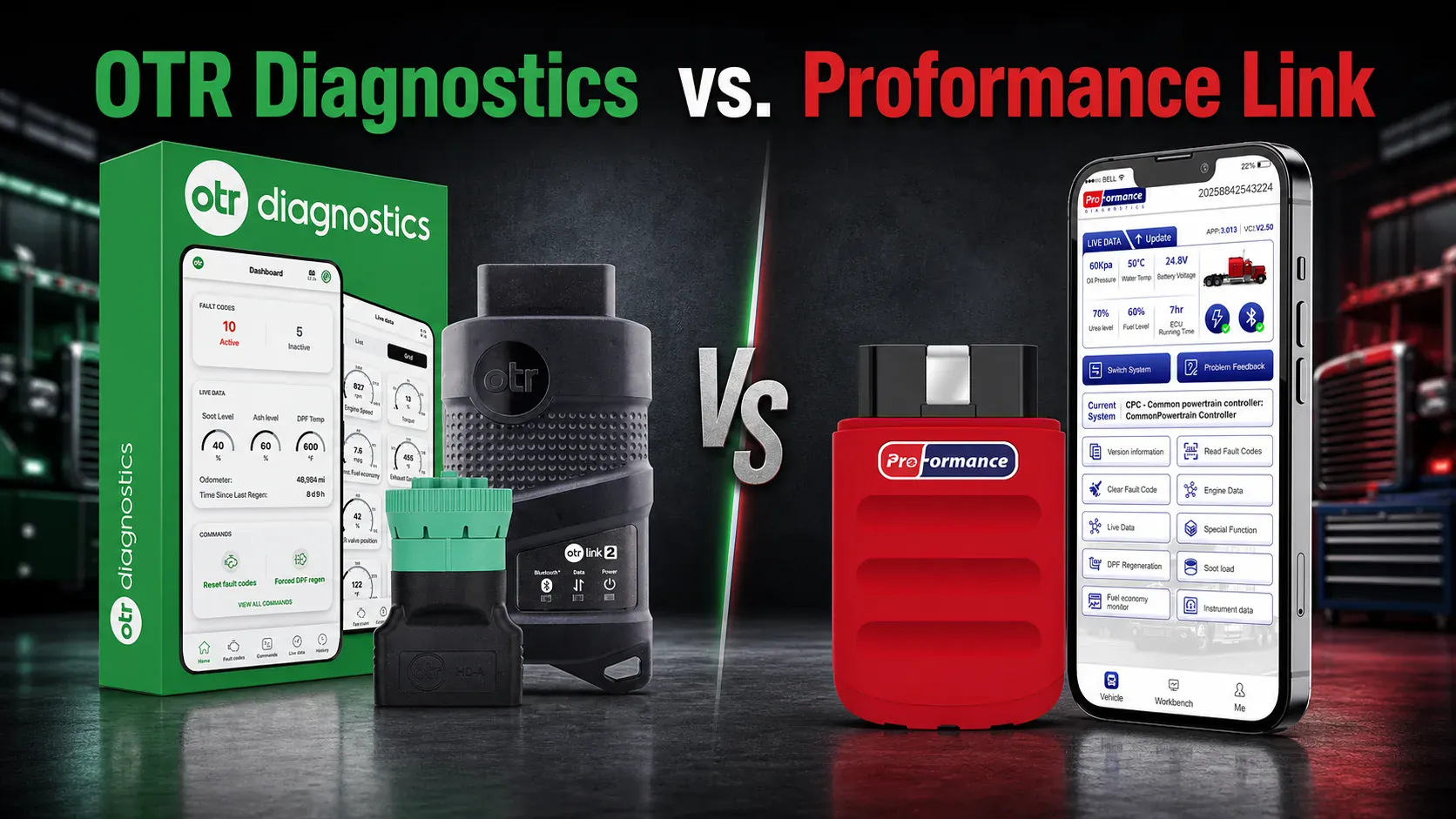
Proformance Link | Bluetooth adapter + iOS/Android app | $499 shown; first year included | Supported commercial engines including Cummins, Detroit, PACCAR and Volvo/Mack | Codes, live data, forced DPF regen, derate resets and other supported commands | Not intended to replace desktop OEM ECM programming | Owner-operator, mobile mechanic or small fleet |
OTR Diagnostics | OTR Link 2 adapter + iOS/Android app | $599 with first-year subscription | Multi-engine Class 8 coverage with a published engine/function lookup | Codes, live data, forced regens, derate resets and supported bidirectional commands | Not a desktop OEM programming platform | Owner-operator or fleet wanting OTR's mobile/cloud workflow |
Diesel Decoder | Bluetooth adapter + iOS/Android app | $349.99 hardware; Pro $29.99/month | Commercial trucks plus additional supported vehicle categories | Base fault information; Pro adds supported DPF regens and aftertreatment resets | Not positioned as an OEM programming platform | Driver or small fleet starting with code diagnosis |
This table does not mean every listed function works on every truck. The correct comparison is always product + plan + engine + model year + controller + command.
Product-by-Product: What You Actually Get
1. Noregon JPRO Essential Diagnostic Toolbox
The JPRO Essential Diagnostic Toolbox is the clearest example of a complete diesel diagnostic laptop package. Noregon lists a Panasonic FZ-55 Toughbook, JPRO Professional software, a DLA+ 3.0 wireless adapter, vehicle cables, and a carrying case. The official price displayed during this review was $6,850.
JPRO's advantage is the shop workflow: one large Windows screen for vehicle scans, data, tests, reports, and repair work across mixed commercial vehicles. It is a better starting point than a phone app for a shop that sees several truck brands every day.
Its limitation is equally important. Buying a JPRO laptop does not automatically give you every OEM programming application. A repair that requires Cummins INSITE, Detroit DiagnosticLink, PACCAR DAVIE, or another OEM-controlled workflow may still require separate software, licenses, and authorization.
Choose it if: you run a repair shop or maintain a mixed fleet and need broad, repeatable diagnostics more than maximum portability.
2. Cummins INSITE with INLINE 7
Cummins INSITE is a Windows-based OEM service diagnostic program for Cummins electronic engines. Cummins describes INLINE datalink adapters, including INLINE 7, as interfaces designed for INSITE and Guidanz.
Unlike an all-makes kit, this is a brand-specific solution. It makes sense when deep Cummins work matters more than covering every engine brand with one interface. The final system cost depends on the computer, adapter, cables, INSITE license level, and distributor pricing.
INSITE is the stronger direction for supported Cummins parameter, calibration, and OEM service workflows. It is a poor one-tool answer for a mixed fleet containing Detroit, PACCAR, Volvo/Mack, and other engine families.
Choose it if: a large share of your work is Cummins and you need OEM-specific depth rather than one mobile app for several brands.
3. Autel MaxiSYS MS909CV
The Autel MaxiSYS MS909CV sits between a traditional laptop and a phone scanner. It is a dedicated commercial-vehicle diagnostic tablet rather than a general-purpose Windows laptop. Autel's official store showed a $5,450 sale price during this review and lists multi-brand coverage, topology mapping, active tests, service functions, and ECU coding capabilities on supported applications.
The tablet format is easier to move around a vehicle than a laptop kit while retaining a larger screen and a professional scan-tool interface. It is also far more expensive than phone-based tools and still requires careful function-level coverage checks.
Choose it if: you are a professional technician who values portability but needs broader system access and active testing than a driver-focused mobile adapter.
4. Proformance Link
Proformance Link combines a Bluetooth adapter with an iOS or Android app. The official product page showed $399 during this review and included the first 12 months of membership. Current product information lists active and inactive fault codes, live engine and aftertreatment data, forced DPF regeneration, derate resets, and additional supported commands.
After the included year, the official membership page showed monthly, annual, and three-year renewal choices. This recurring cost matters, but the first-year entry price remains far below a professional laptop or tablet kit.
Proformance Link is not intended to replace Windows OEM software for ECM flashing. Its value is getting useful truck-side functions into a tool that can stay in the cab and use a phone the driver already owns.
Choose it if: you are an owner-operator, mobile technician, or small fleet that prioritizes multi-brand truck-side diagnostics and supported aftertreatment commands.
5. OTR Diagnostics
OTR Diagnostics is another phone-based Class 8 diagnostic system. Its official package page showed $599 with the hardware and first-year subscription. OTR lists fault codes, live data, history, forced regens, derate resets, and other supported bidirectional commands. It also publishes an engine coverage lookup, which is useful when checking a particular truck.
OTR and Proformance Link address a similar buyer: someone who needs more than a basic code reader but does not need to carry a shop laptop. The decision should come down to exact engine/function coverage, ongoing subscription cost, app workflow, cloud/history features, and support—not marketing labels.
Choose it if: OTR's published coverage confirms the commands for your truck and you prefer its mobile and cloud ecosystem.
6. Diesel Decoder
Diesel Decoder is a Bluetooth mobile diagnostic tool from Diesel Laptops. Its official listing showed $349.99 for the hardware. The base product focuses on manufacturer-specific fault information and vehicle data; the Diesel Decoder Pro plan, listed at $29.99 per month, adds supported bidirectional functions such as DPF regens and aftertreatment resets.
This makes price comparison slightly different. Buyers who only need fault information can start with the hardware, while advanced commands introduce a recurring Pro subscription. Calculate the cost using the features you will actually keep active.
Choose it if: you want a lower-entry mobile tool backed by the Diesel Laptops ecosystem and are comfortable adding the Pro plan for advanced commands.
For a deeper phone-to-phone comparison, see Proformance Link vs. OTR Diagnostics vs. Diesel Decoder.
What Is a Diesel Diagnostic Laptop?
A diesel diagnostic laptop is not one product. It is a system made from several parts:
A Windows laptop or rugged tablet
A vehicle communication interface (VCI)
The correct 6-pin, 9-pin, OBD, or OEM-specific cable
All-makes or OEM diagnostic software
Current software licenses and updates
For example, JPRO states that its software requires a compatible Windows PC, laptop, or tablet, a supported adapter, and the correct vehicle cable. Cummins describes INSITE as a Windows-based service diagnostic program for Cummins electronic engines. A NEXIQ USB-Link is the communication interface between the computer and vehicle; it does not replace the diagnostic application.
That distinction matters when shopping for diesel diagnostic laptops. A rugged computer with old or unlicensed software is not a complete diagnostic solution. Before comparing prices, confirm exactly which software, interface, cables, updates, and support are included.
Where a laptop setup is strongest
A properly configured diesel engine diagnostic laptop is usually strongest when the job involves:
OEM diagnostic applications for one or more engine brands
ECM programming or calibration workflows
Advanced parameter changes and configuration
Long road-test recordings with several data graphs
Service manuals, wiring diagrams, and diagnostic software open together
Saving, printing, and organizing detailed shop reports
Supporting many technicians or a multi-bay repair workflow
These jobs benefit from a large screen, keyboard, local file storage, and the ability to run full Windows applications.
Where a laptop setup adds friction
A semi truck diagnostic computer also brings more components to manage. The laptop needs power and protection. The VCI needs drivers and firmware. Every software package may have its own login, license, update schedule, and coverage limits. A technician also needs the right cable for the truck in front of them.
For a shop, that complexity may be justified. For an owner-operator who mainly needs to understand a warning light or perform a supported regen, it can be more system than the job requires.
What Is a Mobile Truck Scanner?
A mobile truck scanner normally combines a compact vehicle adapter with an iOS or Android app. The adapter connects to the truck's diagnostic port and communicates with a phone or tablet, often by Bluetooth.
The best mobile tools are designed around a shorter workflow:
Connect the adapter to the truck.
Open the app and identify the vehicle.
Scan for active and inactive fault codes.
Review live engine or aftertreatment data.
Run a supported service command when appropriate.
This format is useful at the roadside, in a parking lot, or during a quick fleet inspection. There is no separate laptop to charge and protect, and the tool can stay in the truck.
But “mobile” does not describe coverage. One phone-based tool may only read codes, while another can perform supported bidirectional tests, forced DPF regeneration, derate resets, and aftertreatment service functions. Always verify the exact vehicle and command instead of judging the product by its size.
Which Tool Can Do More?
For the widest range of OEM applications, programming, configuration, and deep shop workflows, a laptop usually has the higher ceiling. That does not mean every laptop kit can do every job. It only means the Windows platform can run software that is not available as a mobile app.
For everyday diagnostics, a capable mobile scanner may cover the jobs that matter most:
Read and clear fault codes
View live engine and aftertreatment data
Check soot and ash-related values where reported by the ECM
Run a forced DPF regen on supported vehicles
Reset supported derates or service values
Create a fast health check before deciding whether the truck needs a shop
The useful question is not “Which device is more powerful?” It is “Does this exact setup perform the commands I need on my engine, model year, and controller?”
Seven Factors to Compare Before You Buy
1. Exact vehicle and engine coverage
Do not stop at a brand logo. Coverage can vary by engine family, model year, ECM, transmission, ABS system, and aftertreatment controller. Ask for a compatibility check using the truck's year, make, model, engine, and—when possible—VIN.
2. Systems, not just engines
Some tools concentrate on the engine ECM. Others can also access transmission, ABS, body, and aftertreatment controllers. Decide whether “engine diagnostics” is enough or whether you need a full-vehicle scan.
3. Commands you will actually use
Build a short must-have list. Common examples include forced regen, DPF replacement reset, SCR tests, injector cutout, cylinder performance tests, parameter changes, and ECM programming. A statement such as “bidirectional control” is too broad unless the vendor lists the supported command for your vehicle.
4. Total system cost
Compare more than the hardware price. A laptop workflow may include the computer, VCI, cables, software licenses, annual renewals, security access, and technical support. A mobile scanner may include an adapter plus a monthly or annual membership. Calculate the first-year and three-year cost for the coverage you need.
5. Update and license policy
Ask what stops working if a subscription expires. Some products keep basic features while restricting updates or advanced functions; others require an active license to operate. Also confirm whether one license covers one user, one device, one brand, or multiple trucks.
6. Internet and field conditions
If you work in remote areas, ask which functions work without cellular service. For laptop use, consider battery life, temperature, vibration, dirt, and whether the VCI connection is stable during a long test. For mobile use, confirm phone compatibility and whether the adapter can remain connected safely during the procedure.
7. Support quality
Diagnostics rarely fail at a convenient time. Check support hours, location, response method, warranty, training, and whether support staff can help verify vehicle coverage—not just replace hardware.
Best Choice by Type of User
Owner-operator: start with a mobile scanner
For most owner-operators, the goal is to understand the truck before paying for a tow or service call. A mobile scanner is easier to keep in the cab and faster for codes, live data, and supported aftertreatment commands. It can help answer whether the truck can continue safely, needs a regen, or requires professional repair.
Choose a laptop only if you personally perform advanced repairs, need specific OEM software, or regularly change parameters that a mobile product does not support.
Mobile diesel mechanic: often both
A mobile mechanic benefits from fast triage at every call. A phone-based tool can handle initial scans and common service functions without unpacking a full kit. Keep a laptop system for OEM-specific testing, configuration, programming, detailed reports, or cases that require multiple applications.
Using both is not duplication. It prevents a long-running test from tying up the only diagnostic device and lets the technician match the tool to the job.
Small mixed fleet: choose by repair strategy
If the fleet performs light maintenance and sends advanced work to a shop, a multi-brand mobile scanner is often the more efficient starting point. If the fleet employs experienced technicians and repairs several systems in-house, a laptop platform can justify its cost through deeper coverage and documentation.
Before choosing, review the fleet by engine brand and model year. “All makes” coverage may be broad but not equally deep on every controller.
Full-service repair shop: laptop first, mobile second
A repair shop generally needs the flexibility of a laptop-based platform, especially for OEM applications, advanced tests, reports, and service information. A mobile scanner still adds value for intake inspections, parking-lot checks, road calls, and quick aftertreatment work.
Where Proformance Link Fits
Proformance Link is a mobile heavy-duty diagnostic tool built around a Bluetooth adapter and an iOS or Android app. It is designed for truck-side work without a dedicated laptop. Current product information lists fault-code reading and clearing, live data, and supported service commands such as forced DPF regeneration and derate resets. Coverage and available commands vary by vehicle, engine, model year, and controller.
It is a practical fit when you want to:
Keep a diagnostic tool in the truck
Scan supported commercial engines without carrying a Windows laptop
View live data and understand active or inactive faults
Perform supported aftertreatment service functions in the field
Use one mobile workflow across multiple supported engine brands
It is not presented as a replacement for every OEM engineering or ECM programming application. If your work requires desktop OEM software or advanced programming, keep the appropriate laptop setup. If your priority is fast truck-side diagnostics and supported service commands, check your vehicle's compatibility before buying.
You can also compare mobile options in our Proformance Link vs. OTR Diagnostics vs. Diesel Decoder guide, or browse all heavy-duty truck diagnostic tools.
Final Verdict
Based on the real products compared above:
Choose the JPRO Essential Diagnostic Toolbox when you need a complete multi-brand shop laptop and can justify the $6,000-plus investment.
Choose Cummins INSITE + INLINE 7 when Cummins OEM depth and supported calibration workflows matter more than all-makes convenience.
Choose the Autel MS909CV when you want a professional multi-system tablet between a laptop kit and phone adapter.
Compare Proformance Link, OTR Diagnostics, and Diesel Decoder when your priority is portable codes, live data, supported regens, resets, and truck-side commands. Verify the exact command and calculate renewal cost before choosing.
For many professionals, the right answer is not laptop or mobile. It is a laptop for deep repair work and a mobile scanner for triage, road calls, and repeat service tasks.
Whichever format you choose, verify the exact engine, year, ECM, systems, and commands first. The compatibility list—not the screen size—is what determines whether a diagnostic tool can finish the job.
Frequently Asked Questions
Is a diesel diagnostic laptop better than a scanner?
It is better for Windows OEM software, advanced programming, multi-window data analysis, and full shop workflows. A mobile scanner can be better for fast roadside codes, live data, and supported service commands. The best choice depends on the vehicle coverage and work you perform.
What is the best diesel diagnostic laptop?
There is no single best model for every user. Start with the required diagnostic software and interface, then choose a reliable Windows laptop that meets those applications' current system requirements. For field use, prioritize battery life, ports, screen visibility, durability, and warranty over branding alone.
Can a mobile truck scanner perform a forced DPF regen?
Some can. The command must be supported by the scanner, engine, model year, ECM, and current fault conditions. A tool may block a regen when safety or readiness conditions are not met. Always follow the app prompts and the OEM service procedure.
Do I need separate software for each diesel engine brand?
OEM laptop applications are generally brand-specific, while all-makes platforms and some mobile tools cover several brands in one product. Coverage depth still varies. Verify each engine and required command rather than relying only on an “all makes” label.
Can a phone-based scanner program an ECM?
Most mobile scanners are not intended to replace OEM ECM programming software. Some may offer limited parameter or calibration functions on supported vehicles, but full programming usually requires the correct OEM application, authorization, license, interface, power support, and service procedure.
Is a semi truck diagnostic computer worth it for one truck?
It can be if you perform advanced repairs yourself and need OEM software. If you mainly want fault codes, live data, and supported regen or reset functions, a capable mobile scanner may provide a simpler and less equipment-heavy workflow.