The right tool depends on your truck, the systems you need to diagnose, and how you plan to use it. Before purchasing a heavy duty scan tool, evaluate these seven areas. 1. Confirm Compatibility With Your Exact Truck Compatibility should be the first question—not the last. Commercial trucks can use different communication protocols, diagnostic connectors, engines, control modules, and aftertreatment configurations. A scanner that works on one truck may not provide the same functions on…
How to Choose the Best Heavy-Duty Truck Scanner: 7 Features That Matter
How to Choose the Best Heavy-Duty Truck Scanner: 7 Features That Matter
The right tool depends on your truck, the systems you need to diagnose, and how you plan to use it. Before purchasing a heavy duty scan tool, evaluate these seven areas.
1. Confirm Compatibility With Your Exact Truck
Compatibility should be the first question—not the last.
Commercial trucks can use different communication protocols, diagnostic connectors, engines, control modules, and aftertreatment configurations. A scanner that works on one truck may not provide the same functions on another, even when both vehicles share the same engine manufacturer.
Check compatibility using all of the following information:
- Model year
- Truck make and model
- Engine manufacturer and model
- Diagnostic connector type
- Emissions configuration
- ECU software version
- Functions you need to perform
For example, a Volvo truck with a D13 engine may require different system access than a Peterbilt with a PACCAR MX-13. Newer trucks may also use different connector configurations or communication channels.
Do not assume that a passenger-car OBD2 code reader is a substitute for a heavy-duty truck scanner. A consumer automotive scanner may only access limited emissions information and may not communicate correctly with the engine, aftertreatment, transmission, ABS, or vehicle control modules found on commercial trucks.
Before ordering, use the manufacturer's compatibility checker or contact its support team with your truck's year, make, model, engine, and requested functions.
2. Look Beyond Basic Fault-Code Reading
A basic code reader may show that a fault exists, but useful diagnostics require more context.
A professional semi truck scan tool should be able to read both active and inactive fault codes where supported. Heavy-duty fault information may include:
- SPN and FMI numbers
- Source address information
- OEM-specific fault numbers
- Fault status
- Occurrence count
- Freeze-frame information
- Possible symptoms
- Troubleshooting guidance
Active codes indicate faults that the control system currently detects. Inactive codes can reveal intermittent or historical problems that may still be important.
Detailed descriptions also matter. A fault code does not always prove that the component named in the description has failed. Wiring problems, low voltage, air or exhaust leaks, poor connections, contaminated sensors, and related system faults can produce similar symptoms.
A good truck diagnostic scanner should help you understand the fault before you clear it. Record all relevant codes and operating data before performing resets or replacing parts.
3. Make Sure It Provides Useful Live Data
Fault codes are only one part of a diagnosis. Live data shows what the truck's sensors and control modules are reporting while the engine operates.
Depending on vehicle coverage, useful parameters may include:
- Engine speed
- Coolant temperature
- Battery or system voltage
- Fuel pressure
- Boost pressure
- Exhaust gas temperatures
- DPF differential pressure
- Estimated soot load
- DEF level and pressure
- NOx sensor readings
- EGR position
- Regeneration status
Live data can help a technician check whether a sensor value is plausible, determine whether conditions change under load, and verify that a repair addressed the original problem.
The best heavy duty truck scanner should make this information easy to find. Searchable parameters, custom data lists, clear units, graphs, and data recording can make troubleshooting much faster than scrolling through an unorganized list.
Before buying, check which live-data parameters are supported for your engine. A product may advertise live data while only providing a limited set of generic values on certain trucks.
4. Verify Its DPF and Aftertreatment Functions
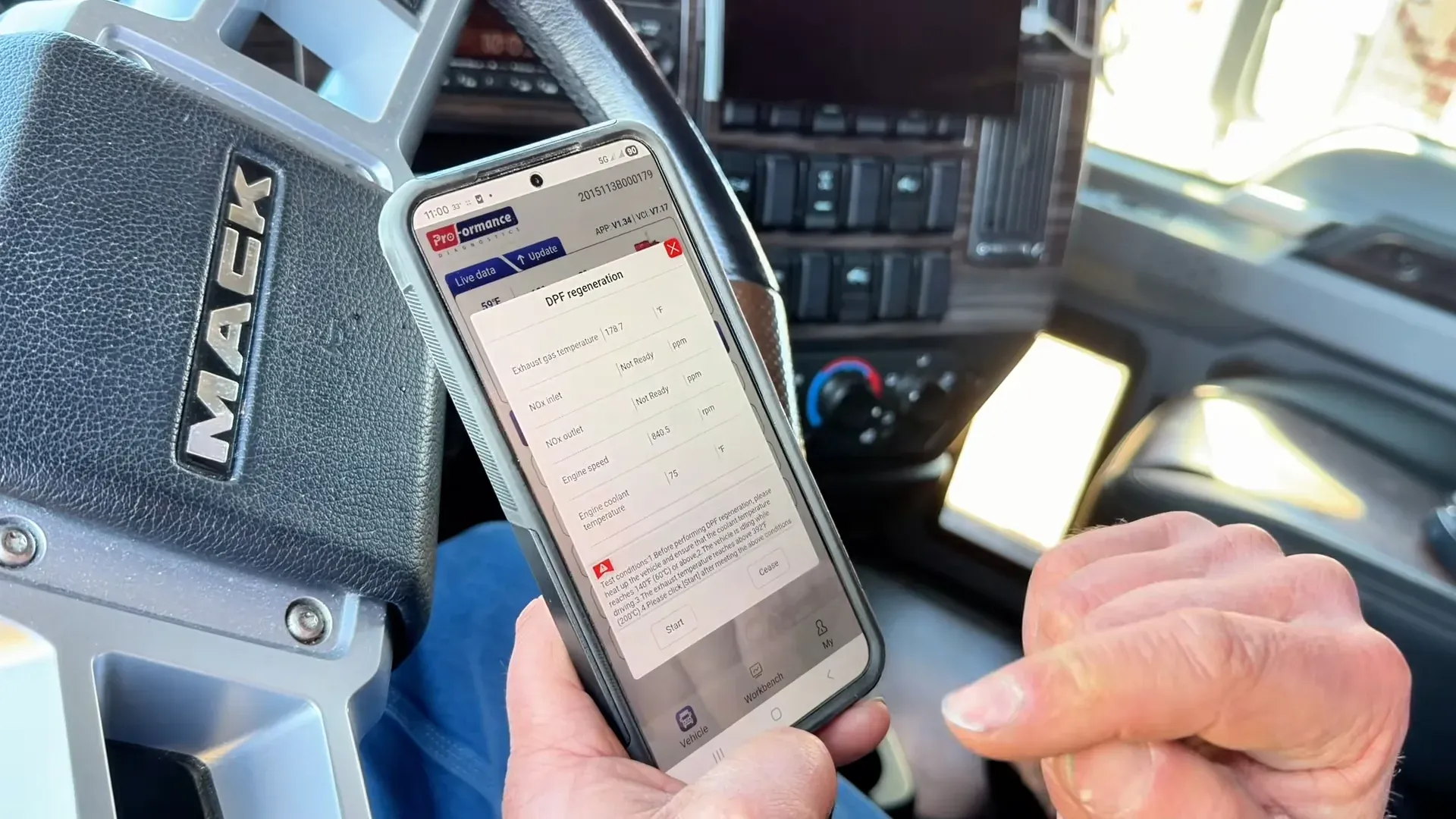
Many buyers specifically need a heavy duty truck scanner with DPF regen capability. The term "DPF regen tool," however, can describe products with very different levels of access.
Depending on the truck and software coverage, a diagnostic tool may support functions such as:
- Forced or service DPF regeneration
- DPF soot-load monitoring
- DPF replacement reset
- Ash or soot value reset
- Aftertreatment maintenance reset
- SCR efficiency testing
- DEF pressure or dosing tests
- Derate reset
- NOx sensor data reset
- EGR-related tests and calibrations
Function availability varies by manufacturer, engine, model year, ECU software, and vehicle configuration. Seeing "DPF regeneration supported" on a product page does not guarantee every regeneration or reset function will work on every truck.
A forced DPF regeneration is also not a universal repair. Before commanding a regen, inspect current fault codes, sensor data, DPF pressure, exhaust temperatures, soot and ash estimates, and regeneration inhibit conditions.
Regeneration produces very high exhaust temperatures. Follow the truck manufacturer's current service procedures and safety requirements. Do not use a scan tool to bypass a fault that must be diagnosed first.
For a more detailed explanation, read our DPF regeneration guide.
5. Evaluate Ease of Use Before You Buy
A powerful scanner provides little value if it is too complicated to use during a roadside problem.
When comparing heavy duty scan tools, look at the complete workflow:
- Connect the adapter to the truck.
- Power the adapter through the diagnostic port.
- Pair it with a phone, tablet, or computer.
- Identify the vehicle.
- Scan available systems.
- Review codes and live data.
- Select a supported test or service function.
- Save the diagnostic record.
Mobile diagnostic tools can be convenient for owner-operators because they do not require a dedicated laptop. However, the quality of the app matters. Check whether it supports your phone or tablet, whether an internet connection is required, and whether diagnostic history is stored locally or in the cloud.
Before purchasing, watch real demonstrations rather than relying only on promotional images. A useful demonstration should show the connection process, vehicle identification, system scan, live data, fault details, and at least one supported service function.
Also look for a compatibility checker and searchable function list. These tools make it easier to verify coverage before placing an order.
6. Compare Subscription and One-Time-Purchase Models
Heavy-duty diagnostic tools generally use one of two pricing models.
Subscription-Based Diagnostic Tools
A subscription may include:
- Software updates
- New vehicle coverage
- Cloud diagnostic history
- Technical support
- Updated fault information
- Newly released functions
- App and operating-system compatibility updates
The disadvantage is the recurring cost. Some products may stop providing advanced functions—or stop working entirely—when the subscription expires.
Before buying, confirm:
- The initial purchase price
- What the first year includes
- Annual or monthly renewal cost
- Whether the plan is limited to one VIN
- Whether one account covers multiple trucks
- What happens when the subscription ends
- Whether updates cost extra
One-Time-Purchase Tools
A one-time-purchase scanner may continue operating without an annual fee. That can be attractive for a single vehicle or occasional use.
Possible limitations include:
- Fixed vehicle coverage
- Fewer software updates
- Limited technical support
- No cloud history
- No newly added functions
- Compatibility problems with future phone operating systems
The lowest initial price is not always the lowest total cost. Compare the cost over three years and include adapters, cables, updates, subscriptions, support, and vehicle limits.
For shops and fleets, VIN restrictions are especially important. A lower-cost plan tied to one truck may be less useful than a plan that supports multiple or unlimited vehicles.
7. Check Support, Updates, Warranty, and Returns
Technical support becomes important when a scanner will not connect, a function is unavailable, or a command does not complete as expected.
Before choosing a truck scan tool, verify whether the company provides:
- Telephone support
- Email or live-chat support
- Published business hours
- Setup documentation
- Troubleshooting articles
- Instructional videos
- App update history
- Hardware warranty
- A clearly written return policy
Good support should do more than help with account passwords. The support team should understand diagnostic connectors, vehicle compatibility, application setup, communication problems, and the limits of supported functions.
Software updates matter as well. Trucks, mobile operating systems, and diagnostic coverage continue to change. Find out whether updates are included, how often the software is maintained, and whether coverage for newer model years is added.
Finally, review the refund policy before purchase. A compatibility checker reduces risk, but a reasonable return period gives you time to confirm that the scanner works with your truck and provides the functions you expected.
Heavy-Duty Truck Scanner Buying Checklist
Use this checklist before selecting a scanner:
- Does it support my exact truck, engine, and model year?
- Does it include the correct connector or adapter?
- Can it read active and inactive fault codes?
- Does it show SPN, FMI, and OEM-specific information?
- Can it display the live-data parameters I need?
- Does it support forced DPF regeneration on my truck?
- Which aftertreatment tests and resets are available?
- Can it reset supported derates after the cause is repaired?
- Is the plan limited to one VIN?
- Are software updates included?
- What is the renewal cost?
- Can I access diagnostic history?
- Is technical support provided?
- What warranty and return protections are included?
Ask for written confirmation if a specific function is essential to your purchase.
Choosing a Scanner for an Owner-Operator, Shop, or Fleet
Different users have different priorities.
Owner-Operators
An owner-operator may prioritize portability, straightforward operation, DPF regeneration, fault-code information, live data, and access from a smartphone. A single-truck plan may be sufficient, but check whether the subscription can be transferred if you replace the truck.
Mobile Diesel Technicians
A mobile technician usually needs broad engine coverage, unlimited or high VIN limits, detailed live data, diagnostic history, and manufacturer-specific service functions. The cost of the tool should be compared with the number of paid diagnostic jobs it can support.
Repair Shops
A repair shop should look closely at system depth, supported tests, reporting, account management, and compatibility across different truck brands. A basic J1939 code reader may not provide enough access for advanced repairs.
Fleets
Fleet teams may need multiple-vehicle coverage, saved diagnostic records, consistent reporting, technician access controls, and fast support. Remote monitoring and remote diagnostic functions should be evaluated separately from locally connected Bluetooth scan tools.
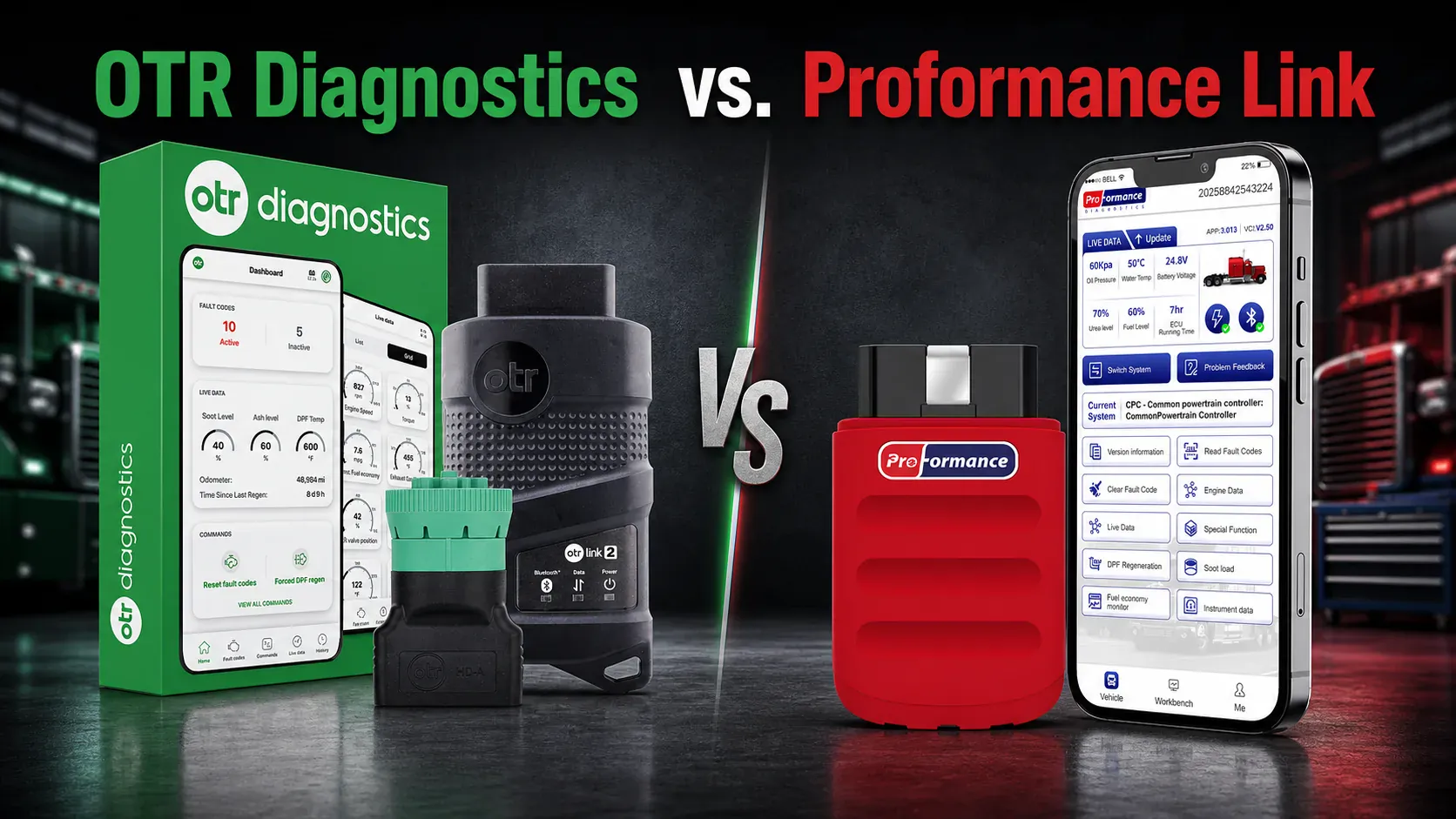
Where Proformance Link Fits
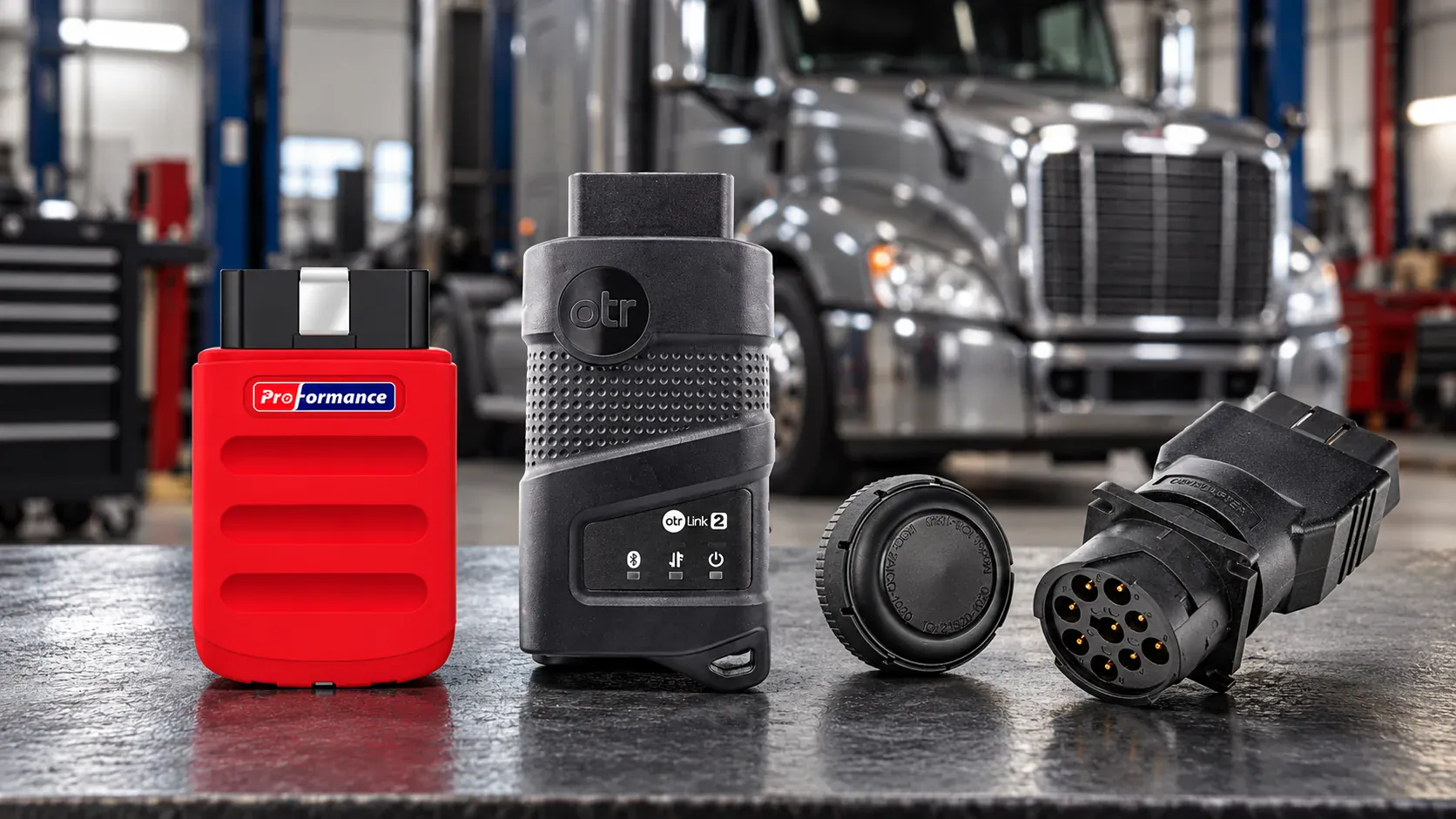
Proformance Link is a mobile heavy-duty truck diagnostic tool designed for owner-operators, technicians, and commercial vehicle operations.
On compatible vehicles, available functions include fault-code reading and clearing, live engine data, DPF regeneration, supported derate resets, and manufacturer-specific aftertreatment service functions. Coverage includes major commercial engine platforms, but exact functions depend on the truck, engine, model year, ECU software, and configuration.
The system works through a mobile application and includes a searchable function list and vehicle compatibility checker. Before purchasing, confirm the exact functions needed for your truck rather than relying only on general engine coverage.
You can also compare available heavy-duty diagnostic tools before choosing a product.
Final Thoughts
The best heavy duty truck scanner is not necessarily the product with the longest feature list. It is the tool that supports your exact vehicle, provides the diagnostic information you need, and continues receiving reliable updates and support.
Start with compatibility. Then compare fault information, live data, DPF and aftertreatment functions, ease of use, subscription terms, technical support, and return protection.
A well-matched semi truck scan tool can help you understand warning lights sooner, reduce unnecessary parts replacement, and make better service decisions. It cannot replace proper repair procedures or qualified technical judgment, but it can give you the data needed to take the right next step.
Frequently Asked Questions
What is a heavy-duty truck scanner?
A heavy-duty truck scanner is a diagnostic tool designed to communicate with commercial truck engines and supported control modules. Depending on the product and vehicle, it may read fault codes, display live data, perform service functions, initiate DPF regeneration, and reset certain aftertreatment conditions.
Can a regular OBD2 scanner diagnose a semi truck?
A passenger-car OBD2 scanner may read limited generic emissions information on some vehicles, but it usually does not provide the protocols, connectors, system coverage, or service functions required for comprehensive commercial-truck diagnostics.
Can a heavy-duty scan tool perform a forced DPF regen?
Some tools can command a forced or service DPF regeneration on supported trucks. Compatibility depends on the engine, model year, control module, software version, and vehicle configuration. Active faults and unmet enable conditions can prevent a regeneration from starting.
What is the difference between a code reader and a diagnostic scanner?
A code reader generally reads and clears fault codes. A diagnostic scanner may also provide live data, freeze-frame information, troubleshooting details, system scans, bidirectional commands, service resets, diagnostic history, and manufacturer-specific functions.
Do heavy-duty truck scanners require a subscription?
Some do and some do not. Subscription products often include software updates, new vehicle coverage, cloud history, technical support, and newly added functions. Compare the total cost, renewal terms, VIN restrictions, and what happens when the subscription expires.
How do I know whether a scanner works with my truck?
Check the manufacturer's compatibility information using the truck's year, make, model, engine, connector, and required functions. If a function is essential, request confirmation from the manufacturer before purchasing.
Recommended Image ALT Text
- Heavy-duty truck scanner connected to a commercial truck diagnostic port
- Mobile heavy duty scan tool displaying diesel engine fault codes
- Semi truck scan tool showing live engine and aftertreatment data
- Heavy duty truck scanner with DPF regen function
- Proformance Link mobile diesel truck diagnostic tool
- Nine-pin commercial truck diagnostic connector and mobile scanner